 shortmaker
Make Short Videos for Reels, TikTok & Shorts
The all-in-one studio for short-form creators. Find the most viral videos in your niche with Discover, brand them into post-card shorts in batches, build compilations or split-screen reactions — then export ready-to-post for Instagram Reels, TikTok and YouTube Shorts, all in your browser.

Built for every short-form platform
Discover New
Find the most viral videos in your niche
Type a niche, get the most-viewed short-form videos ranked by views. Pick the ones you like and send them straight to Post cards, a compilation, or the editor — no tab-hopping, no guessing what works.
- Search any niche, sorted by views or recency
- One click from a result to your next video
- YouTube today — TikTok & Reels coming soon
Post cards New
Brand a whole batch of clips as social-post shorts
Set your avatar, name and handle once, drop in your clips, and every one renders as its own short — your brand header and caption over a clean framed video. The fastest way to make a feed's worth of content look yours.
- Brand set once, saved for next time
- Batch it — every clip becomes its own short
- Per-clip captions, clean 1080×1920 output
Ranked compilation
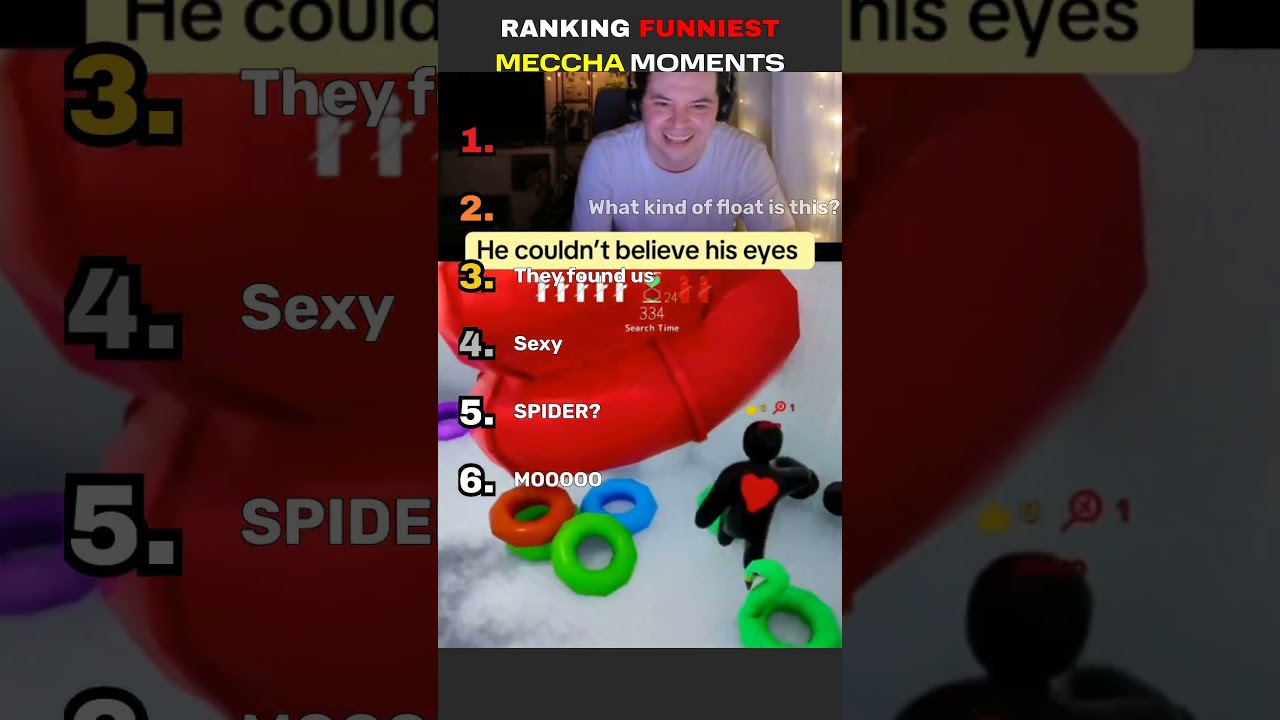
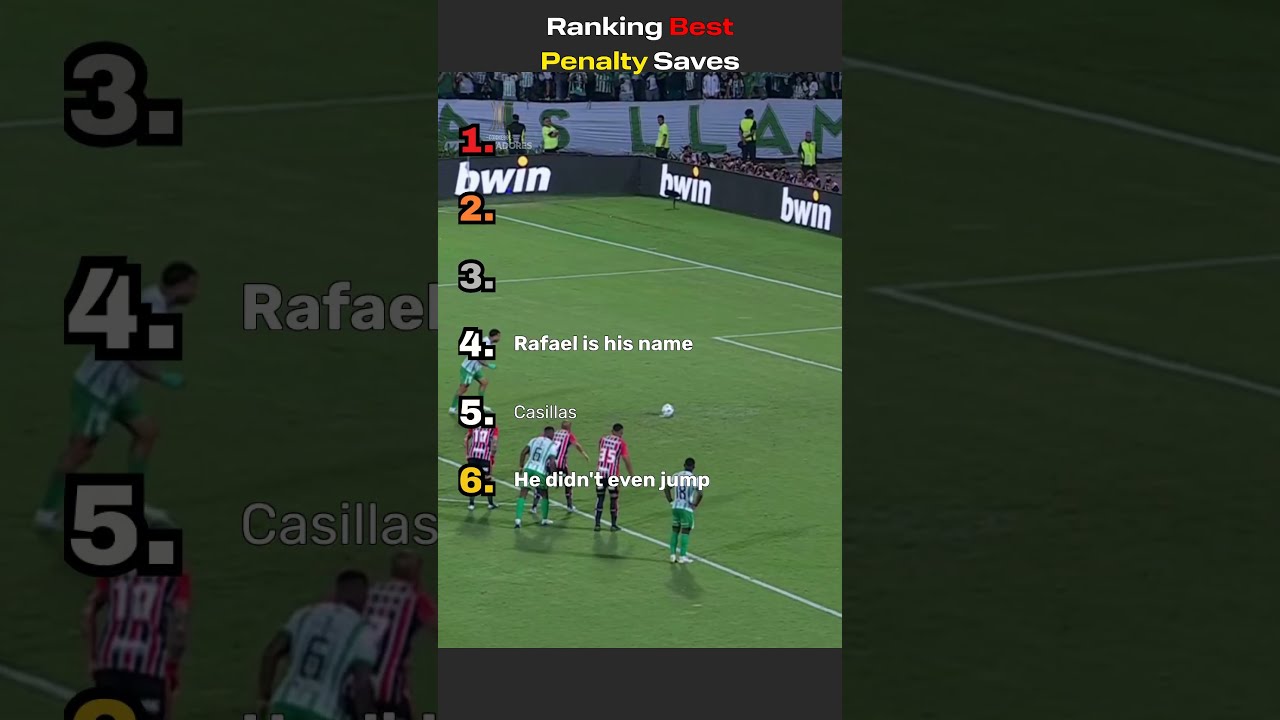
Turn any set of clips into a Top-10 countdown
Upload or import your clips, drag them into rank order, and Shortmaker builds the countdown template — title, colour-coded numbers, per-clip labels — and renders it.
- Auto-split long clips by scene
- Accent-colour words in the title
- Vertical 1080×1920, ready to post
Split screen
Reaction on top, background below
The format that keeps people watching. Put your main video up top — a face-cam reaction or any clip — and satisfying background footage underneath, with a split ratio you control and subtitles baked in.
- Add multiple clips per section
- Pick which audio plays
- Baked-in subtitles you control
Video commentary
Your voice, captioned, over any video
Record a voiceover right in the browser (or upload one), duck the original audio, and burn in captions — typed and styled your way.
- Record or upload a voiceover
- Type captions, styled your way
- Style, size and position controls
How it works
From upload to posted in three steps
Add your clips
Upload your own footage, import from any source — or search viral videos with Discover.
Pick a tool
Rank them, stack them split-screen, add a voiceover, or caption them.
Export & post
Render a clean 1080×1920 MP4 and publish straight to YouTube.
A whole workflow, minus the busywork
Made for people who post a lot
Made in minutes
Skip the timeline gymnastics. Upload your clips, pick a tool, hit export.
Every tool, one tab
Viral discovery, post cards, compilations, split-screen, commentary, captions, voiceover — no plugins.
Faceless creators
Build a channel from clips and voiceovers — never appear on camera.
Reaction creators
Put your face-cam take over any clip with split screen — react, comment, post.
Marketers & agencies
Spin up promo shorts for your brand or client channels — and earn on referrals with our affiliate program.
Beginners
No editing background required — the tools do the heavy lifting.
Try Pro free for 7 days.
Every account starts with a 7-day Pro trial — no card required. Keep exporting free forever, or unlock 1080p with no watermark.
Shortmaker Pro
Everything, unlimited — for creators who ship.
7-day free trial · no card required
- Unlimited 1080p exports
- No watermark, no outro
- Videos up to 3 minutes
- Publish directly to YouTube
- All tools + affiliate program
Free for 7 days, then billed monthly or yearly. Cancel anytime.
Lifetime
For heavy-usage creators — pay once, Pro forever.
- Everything in Pro, forever
- All future updates included
- No subscription, ever
- Best for heavy creators
One-time payment · lifetime Pro access
Earn with the Shortmaker affiliate program
A tool your audience actually needs. Refer creators and marketers and earn recurring commission on every subscription — with the tracking and payouts you already use.
From the blog
Playbooks for faceless creators, and what's new in Shortmaker.
How to make viral videos: what actually moves the needle on short-form
Virality isn't luck — it's a set of repeatable levers: the hook, retention, shareability, and posting at volume. Here's what actually drives reach on Reels, TikTok and Shorts, and how to engineer for it.
Sep 24, 2026
How to be a faceless creator in 2026 (a practical playbook)
You don't need to show your face — or even talk — to build a short-form channel that grows. Here's the faceless-creator playbook: pick a niche, build a repeatable format, and post at volume without burning out.
Sep 17, 2026
Make ranked compilation shorts by just describing them
No timeline, no scrubbing. Point Shortmaker's AI at a reel — or a whole list of them — say what you want, and get finished, ready-to-post vertical videos back. Here's how it works, and how to put it on autopilot.
Sep 15, 2026
Questions
Is there a free plan?
Yes — a real free plan with unlimited exports (480p, with a small watermark and a short Shortmaker outro). Every new account also gets a 7-day Pro trial (1080p, no watermark or outro) — no credit card to start.
How does Discover find viral videos?
Type a niche and Discover searches the most-viewed short-form videos, sorted by views or recency. Pick the ones you like and send them to Post cards, a compilation, or the editor in one click. It currently searches YouTube, with TikTok and Instagram Reels coming soon. Discover is a Pro feature — included in the free 7-day trial.
Is Shortmaker only for faceless videos?
No. Faceless is one popular way to use it, but plenty of creators appear on camera — drop your reaction or face-cam footage into the split-screen tool, or narrate over any clip with your own voice. Faceless or on camera, both work.
Do I need to install anything?
No. Shortmaker runs entirely in your browser. Rendering and exporting happen on our servers — just upload your clips and go.
Can I publish to YouTube from Shortmaker?
Yes. Sign in with Google, connect your channel, and upload finished shorts directly.
What can I export?
Vertical 1080×1920 MP4 for Shorts, Reels and TikTok — plus audio-only (MP3) and caption files (SRT/VTT) where relevant.
Do you have an affiliate program?
Yes — creators and marketers earn recurring commission for every subscriber they refer, with the networks you already use.
Whose content can I use?
Only content you have the rights to. Shortmaker is a creation tool; you are responsible for the footage you bring in.
Who owns the videos I create?
You do — entirely. Every video you create and export using Shortmaker is yours. You have full ownership and the right to use, distribute, and monetize your content however you choose.
Start making shorts today
Your first video is minutes away. Try Pro free for 7 days — no credit card.
Start your free trial