

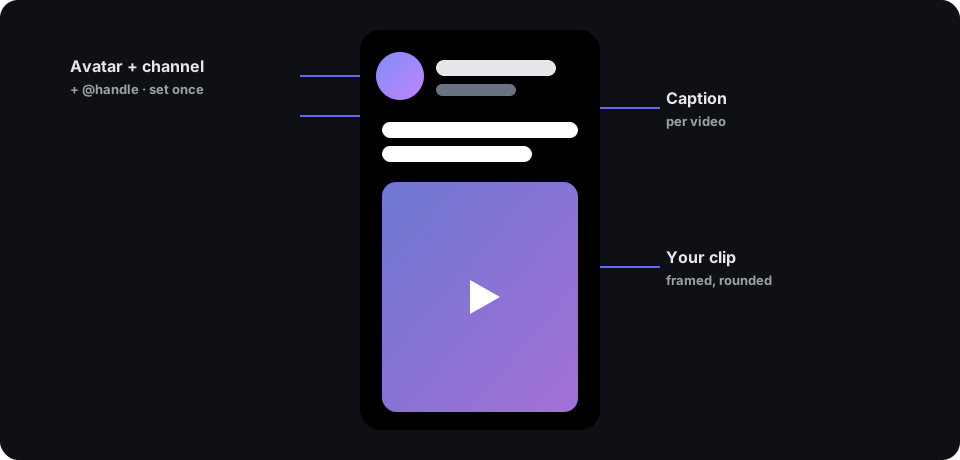
One of the most reliable formats in faceless short-form is the social-post card: a channel header at the top — round avatar, bold name, an @handle — a one-line caption under it, and the clip framed in the middle on a clean background. It reads as a screenshot of a post, and it works because it’s instantly familiar.
The catch is volume. That format only pays off if you ship a lot of them, and rebuilding the same header for every single video by hand is exactly the kind of repetitive work that kills a posting schedule.
Post cards removes the repetition.
Set the brand once, batch the rest
Upload your avatar, type your channel name and @handle, pick a background colour — once. That header is now fixed. Then add videos: paste links, or drop a whole folder of files at once. Each video becomes its own row with its own caption field.
Hit Export all and Shortmaker fans the batch out into one render per video — each a finished vertical short with your header, that video’s caption, and the clip framed in the middle. Ten videos in, ten ready-to-post shorts out, every one on-brand.
Why batch matters
The faceless playbook is consistency at volume. A tool that makes one nice post card is a toy; a tool that makes twenty with a shared identity is a workflow. Post cards is built for the second thing — the daily grind of a channel that posts every day, not the one-off.
It pairs naturally with Discover: search a niche, select the clips that are already going viral, hit “Create post cards”, and they arrive pre-loaded as rows — one caption each, one export, done.
The details that make it look right
- Rounded, framed video on a solid background — the post-screenshot look, not a raw crop.
- A live preview so you see the header and caption exactly as they’ll render before you commit.
- Per-video captions — the header is shared, but every clip gets its own line, because that’s where the hook lives.
Free accounts render with Shortmaker branding; Pro can toggle it off. Either way the pipeline, quality and caps match the rest of the app.
Set your header once. Post every day without rebuilding it every time.